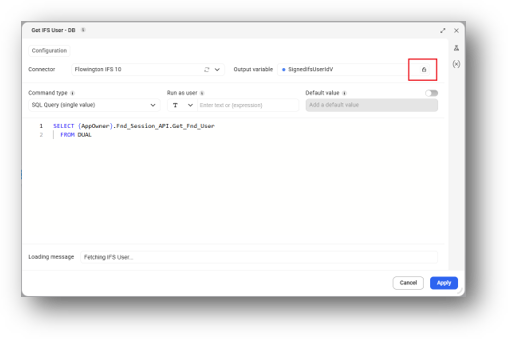
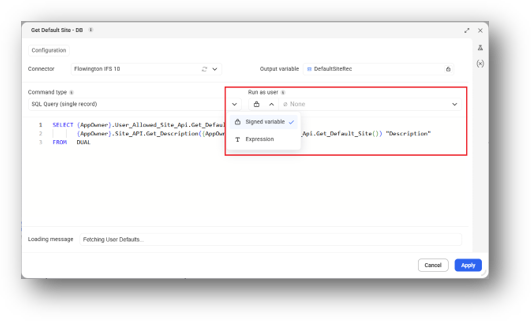
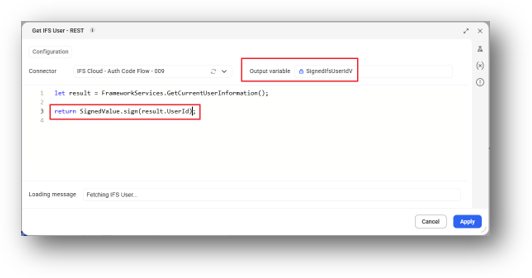
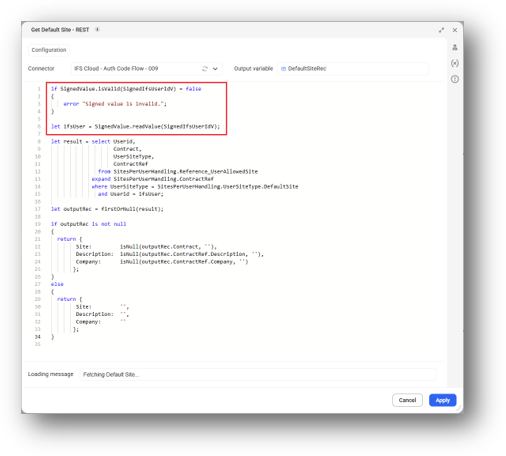

This tutorial demonstrates how to use signed values in Novacura Flow Connect to create tamper-proof variables and securely validate values between machine steps using DB and REST connectors.
This tutorial demonstrates how to use and apply signed values in Novacura Flow Connect to create tamper-proof variables that are valid only for the user who requested them. It guides users through configuring signed values in machine steps and using them to verify that values received from one machine step have not been modified before being used by another machine step within the same application.
Users will learn how to configure signed values with DB and REST connectors, including generating signed values, validating their integrity, and reading signed values within application steps. Further demonstrates how to use signed values with different connector types and configure machine steps to run using a signed variable.
| App Type | Tutorial |
| Flow version | Connect |
| ERP Type | IFS Applications 10 |
| Process Area | Other ERP |
| Library | Free Apps Standard Apps - IFS |
| Product Clients | Web ClientMobile Client |
| Product Publisher | Novacura Business Apps |
| Publishing Date | 08.09.2026 |
| Powered by AI | No |
Want to see how this app works in your ERP environment? Request a demo and we’ll walk you through it.