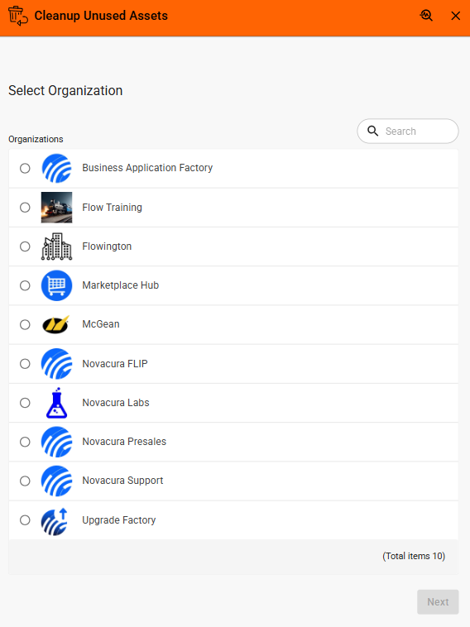
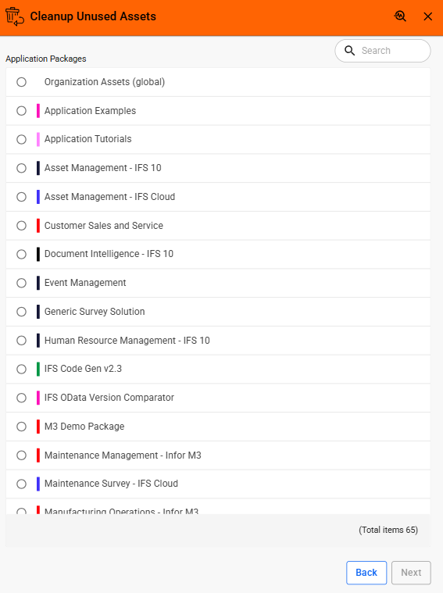
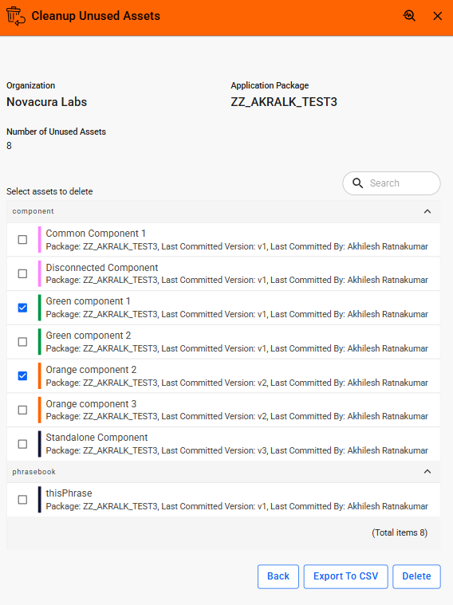
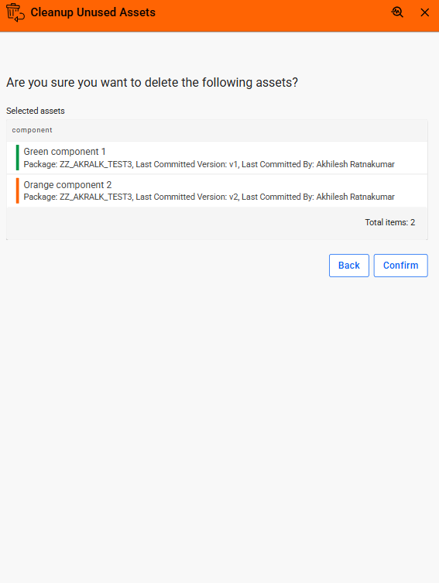
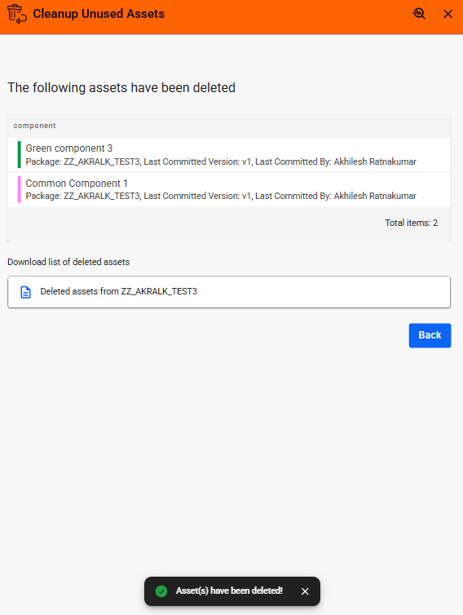

The service will allow users to scan the asset pool within a given organization and delete unused assets that have no superior dependencies. The cleanup process is performed iteratively, cascading through dependency levels until the asset pool is fully cleaned.
This is a Novacura hosted service designed to help users identify and delete unused assets within application packages while maintaining dependency integrity. Instead of deleting all dependent assets in a single operation, the service enables users to remove assets iteratively, beginning with the highest-level dependencies. Once those assets are deleted, the next level of dependent assets becomes available for deletion, allowing users to clean up application packages in a controlled manner.
Users can easily navigate through a structured deletion workflow by selecting an organization, choosing an application package, and reviewing the list of unused assets available for deletion. Assets are grouped by their type, including components, modules, and phrasebooks, making it easy to identify the assets to be removed.
Before the deletion is performed, the application displays a confirmation screen showing details such as the asset type, last committed author, last committed version, and last committed date, allowing users to verify their selections before proceeding.
Once the deletion is completed, the application refreshes the list of unused assets to display any additional assets that have become eligible for deletion in the next dependency level. A CSV file containing details of the deleted assets, including the deletion date and the user who performed the deletion, is automatically generated and made available for download. Users can also export the current list of deletable unused assets to a CSV file before performing the deletion.
This application is hosted internally and delivered as a service through the Marketplace Hub. Users can access it directly via the Flow Extensions portal page without the need for installation.
Launch Application: Click Flow Extensions Portal
For detailed instructions and guidance on how to use the application, including selecting application packages, reviewing unused assets, performing iterative asset deletion, and downloading CSV reports, refer to the documentation, Learn more.
This solution is ideal for developers, administrators, and solution architects who manage application packages and need a reliable way to remove unused assets while preserving active dependencies and maintaining a clean application environment.
| App Type | Flow Platform Extensions |
| Flow version | Connect |
| ERP Type | ERP Independent Apps |
| Process Area | Other ERP Apps |
| Library | Free Apps Standard Apps - Base |
| Product Clients | Mobile ClientWeb Client |
| Product Connectors | Flow Hub Api |
| Product Publisher | Novacura Business Apps |
| Publishing Date | 26.06.2026 |
| Powered by AI | No |
Want to see how this app works in your ERP environment? Request a demo and we’ll walk you through it.